
 Inksky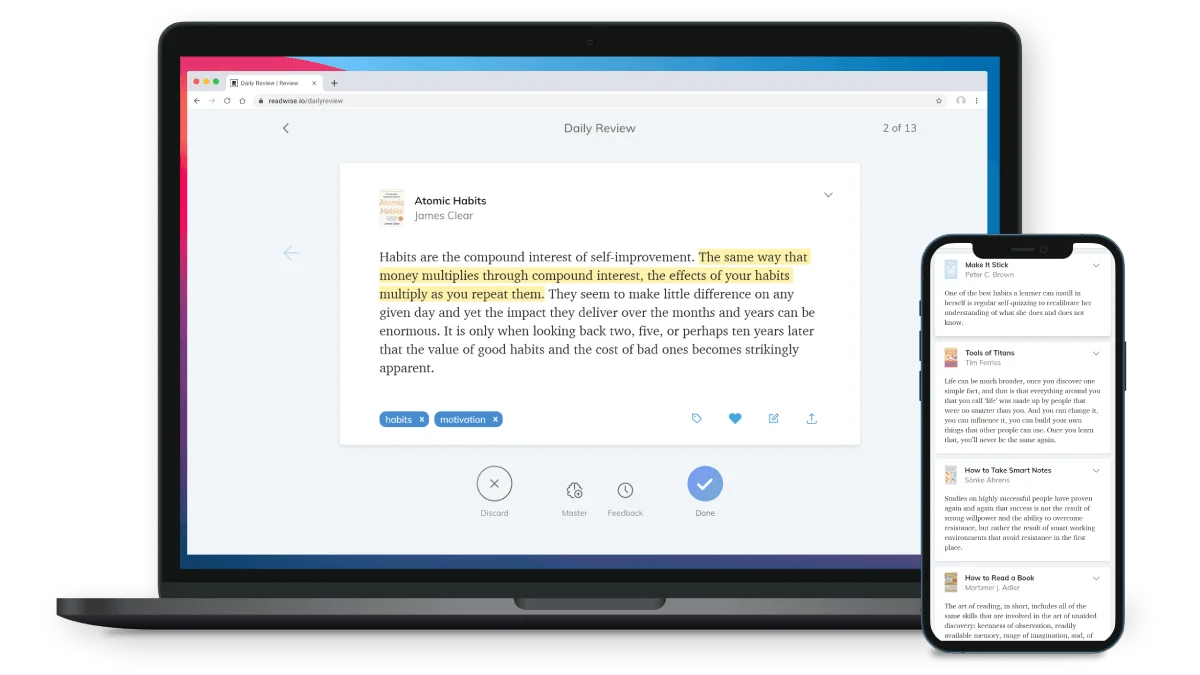
You highlight a passage on your Kindle. Readwise grabs it the next time you sync. Twenty minutes later, it appears in your Obsidian vault, complete with book metadata, your tags, and a spaced-repetition review card. If you’re serious about retaining what you read, Readwise is the tool that closes the loop between highlighting and actually learning.
What Readwise does
Readwise connects to your Kindle account and automatically imports every highlight and note you’ve ever made. No USB cables. No My Clippings.txt. Just sign in once and everything syncs.
From there, Readwise pushes your highlights to wherever you actually use them:
- Notion — highlights appear as database entries
- Obsidian — formatted Markdown notes per book
- Roam Research — each highlight as a block
- Logseq, Evernote, Bear — and 15+ other integrations
It also has a daily review email that resurfaces 5 random highlights — a simple but effective spaced-repetition system that takes zero effort.
Readwise Reader (the newer thing)
Readwise has expanded into a full reading app called Readwise Reader. It’s a read-it-later app that handles:
- Articles (RSS, web pages)
- EPUB and PDF uploads
- Email newsletters (get a
@readwise.ioaddress) - YouTube transcripts
- Twitter threads
Everything you read in Reader gets highlighted, and those highlights flow into the same Readwise ecosystem. It’s a complete replacement for Pocket, Instapaper, and Kindle’s built-in highlights — all feeding into one knowledge base.
Worth the subscription?
Readwise costs $7.99/month or $95.88/year. Reader is included. The free tier lets you import 50 highlights.
If you read 2-3 books a month and actually want to use your highlights — writing summaries, connecting ideas, reviewing old notes — the subscription pays for itself in time saved. If you highlight casually and never revisit them, stick with the free Kindle highlights system.