
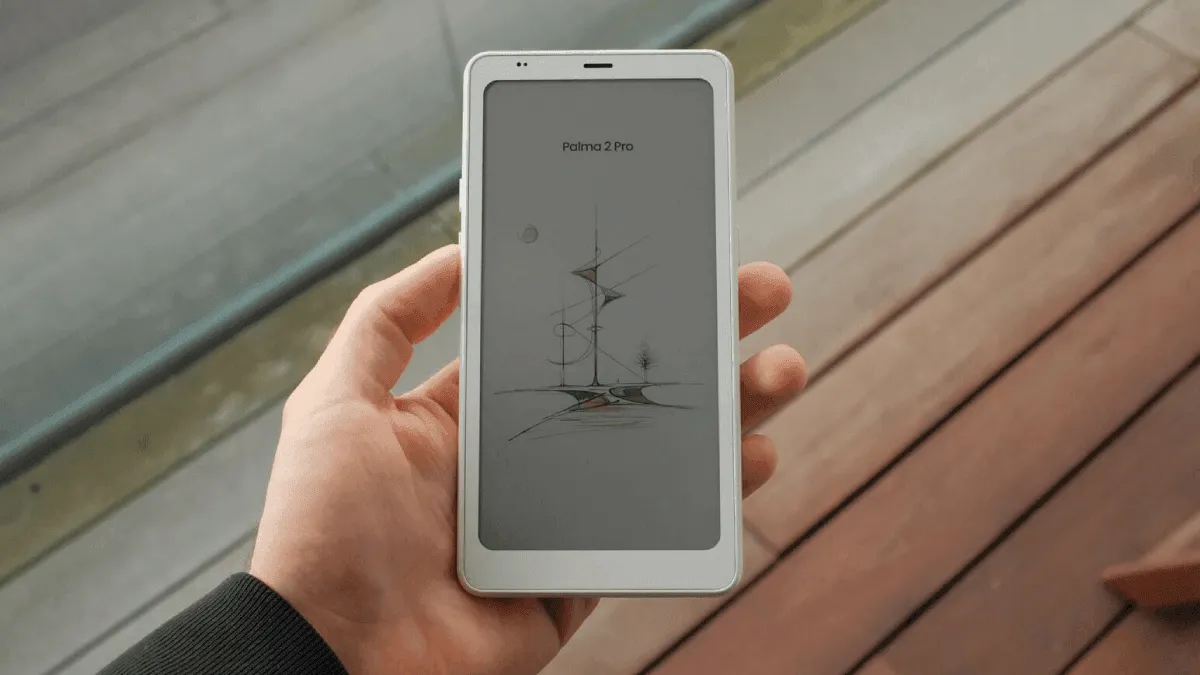
The Boox Palma 2 Pro is the size of a large phone. It fits in my jacket pocket. It has a 300 ppi E Ink screen and runs full Android. For two weeks, I carried it everywhere instead of reading on my phone.
Specs at a Glance
| Feature | Boox Palma 2 Pro |
|---|---|
| Screen | 6.13” E Ink Carta 1200, 300 PPI |
| Front Light | Dual-tone (warm + cool) |
| OS | Android 13 |
| Storage | 128 GB + microSD |
| RAM | 6 GB |
| Weight | 170g |
| Battery | 3,950 mAh (1-2 weeks) |
| Charging | USB-C |
| Camera | 16 MP rear |
| Price | $279.99 |
Reading on a phone sucks. This doesn’t.
I read a lot. News articles, newsletters, long-form essays, the occasional ebook. I was doing all of this on an iPhone — squinting at tiny text, getting interrupted by notifications, burning through battery. The Palma replaced all of that.
The form factor is the whole point. You hold it one-handed, scroll with your thumb, read for five minutes while waiting for coffee. It’s not for long reading sessions — I still use a Paperwhite at home for that. The Palma is for stolen moments: the bus, the lunch break, the line at the post office.
After two weeks, I’d read more than I had in months. Not because I set aside time — because the device was always there. (If portability is your priority, see our roundup of the best e-readers for travel in 2026.)
What it does well
The screen is sharp. 300 ppi on a 6.13-inch display means text is crisp at any size. I installed Kindle, Kobo, Libby, and Pocket. All four work. I can borrow a library book in the Libby app, then switch to the Kindle app to read something I bought three years ago. No ecosystem lock-in. For more app recommendations, see our guide to the best Android apps for Boox devices.
The hardware is solid. Snapdragon 8-core, 6 GB RAM, 128 GB storage. That’s phone-level specs in a slow e-reader body. Apps open fast. Scrolling is smoother than any other E Ink device I’ve used.
The side button is programmable. I set it to open Pocket — one press, and my saved articles appear.
What it doesn’t
The battery is the disappointment. With 2 hours of daily reading (Wi-Fi off), I got about four days. That’s great for a phone, terrible for an e-reader. You’ll charge it twice a week. The culprit is Android — background processes, Google Play Services, app sync. You can stretch it by disabling Google apps and using Airplane Mode, but at that point you’re fighting the device.
The glossy screen is annoying in sunlight. A matte protector helps but isn’t included. At $279, that feels stingy.
And the UI is complex. There’s an “E-Ink Center” with four refresh modes (Speed, Balanced, HD, Regal) that affect every app differently. Getting Kindle to look right took me 15 minutes of tweaking. This is not a device for your mom. (If you do pick one up, our Boox tools and apps guide walks through the setup most people miss.)
Should you buy one?
I like the Palma despite its flaws. It genuinely changed my reading habits. But I’m a tech nerd who enjoys configuring things. Most people who want an e-reader should get a Kindle Paperwhite and be done with it.
Buy the Palma if you want one device that runs Kindle, Kobo, and Libby. Buy it if you read in short bursts throughout the day. Don’t buy it for long reading sessions or if battery life matters to you.
Related
- Best Android apps for Boox devices — The essential apps to install on any Boox e-reader.
- Boox tools and apps: hidden gems for power users — Optimize your Boox with lesser-known tools and settings.
- Best e-reader for travel in 2026 — How the Palma stacks up against other portable e-readers for life on the road.